Appearance
What is Fablnx?
Fablnx is an AI copilot for structural steel design and detailing. You bring the contract drawing set — the PDF the structural engineer issued — and Fablnx helps you turn it into a coordinated 3D model and a material takeoff, without retyping the drawing by hand.
Three things happen in every project:
- The set gets read. Every sheet is classified, and the general notes are read into a design spec you can trace back to the exact words on the page.
- You trace the structure. Over each drawing you place grids, columns, beams and braces in a 2D editor, with AI detection doing most of the drawing so you review rather than draw.
- Verified work is committed. A scene is one drawing you have traced — one plan, one elevation. Each scene you validate and commit becomes part of one coordinated 3D model, which you can orbit, measure and take off.
Conflicts and missing information surface as RFIs instead of quietly slipping through.
Who it's for
Structural detailers, checkers and engineers who work from contract drawings and need a coordinated model and a takeoff — with a trail back to the sheet every fact came from.
The shape of a session
| Step | Where | Guide page |
|---|---|---|
| 1. Upload a contract PDF | Projects screen | Projects & uploads |
| 2. Watch the set get sorted | Files panel | Files & pages |
| 3. Check what the copilot read | Copilot panel | The AI copilot |
| 4. Confirm the spec values | Design spec panel | The design spec |
| 5. Trace a plan or an elevation | Scene editor | Scenes, Plans, Elevations |
| 6. Let detection prefill members | Scene editor | Detection |
| 7. Validate, then commit | Scene editor | Validation & commit |
| 8. Answer the RFIs it raises | RFIs panel | RFIs |
| 9. Set up levels and grids | Structure panel | Levels, grids & the building |
| 10. Orbit the assembled model | Model tab | The coordinated model |
| 11. Export the takeoff | Takeoff | Material takeoff |
The shell that holds all of this — top bar, sidebar, tabs, splits — is covered in The workspace.
Sign in
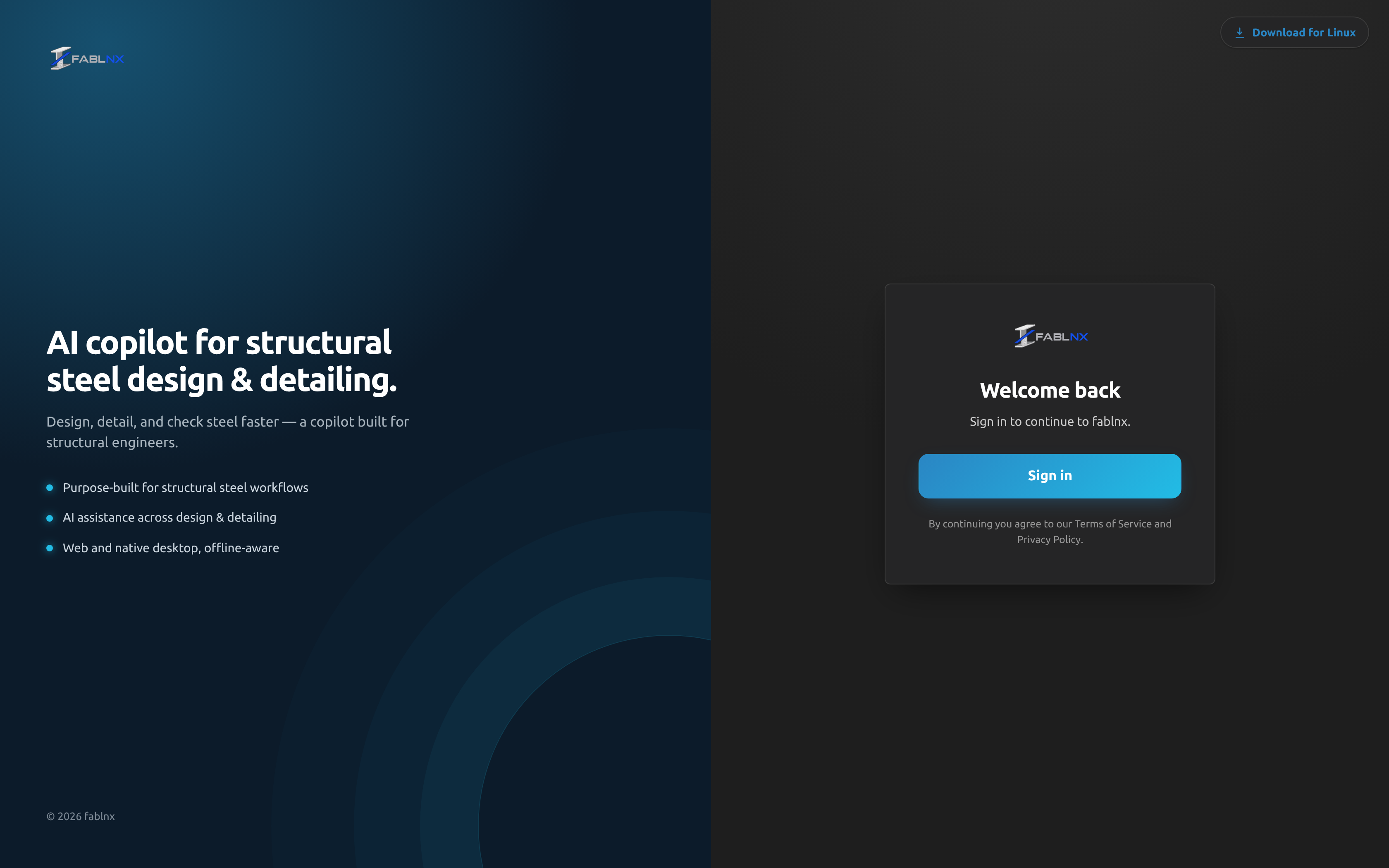
- Open at.fablnx.com in your browser, or open Fablnx inside Tekla Structures.
- Click Sign in.
- Complete sign-in on the page that opens, and you land on the projects screen.
There is no email and password box, no sign-up link and no "forgot password" in Fablnx itself — Sign in hands you to the identity provider, which owns your credentials, passkeys and MFA. While the app is still working out whether you are already signed in, the card shows a spinner and Getting things ready….
The sign-in screen also carries a Documentation link (top right) to this site.
Deep links survive sign-in
If you open a link straight to a project while signed out, you are returned to that same project after signing in — not to the projects list.
Staying signed in, and being thrown back to sign-in
In the browser, your session is kept in local storage with a refresh token, so it survives a page reload and a browser restart.
If that session can no longer be renewed, the app signs you out and returns you to the sign-in screen with no error message. Nothing is lost; sign in again and carry on. Signing out always returns you to the home route, not to the page you were on.
Inside Tekla Structures
Fablnx inside the Tekla extension is the same product in a panel beside your model: the same screens, the same sign-in, the same session. What it adds is the model — questions about what is open, and pushing a sheet into it — and nothing is taken away.
There is no separate desktop application to install. There was one until 2026-09-18; the extension replaced it, and everything it did the browser and the extension do between them.
Working offline
When your machine drops off the network, a banner appears above everything, on every screen:
You’re offline — we’ll reconnect automatically when the network returns.
You do not have to reload, and there is no reconnect button.
Your edits are kept, not lost
Edits you make while offline — a level's elevation, a schedule mark, a page's classification — stay on screen and are written to this machine straight away. The banner counts them:
You’re offline — 3 changes saved here and waiting. They’ll sync when the network returns.
They survive closing the tab and reopening it. When the network comes back they are sent in the order you made them and the banner goes. Nothing is said while you are online — a bar reporting that the software is working is one nobody reads.
What the server has not seen, it has not checked
A queued change has not been validated yet. If the server refuses one when it finally arrives — say a level you deleted turns out to still be in use — that change is undone and the reason is shown then, not when you made it. Everything else in the queue still goes through.
Right after reopening the app there is also a moment before the queue is sent where a list may briefly show the server's older values. It corrects itself as the queue drains.
Inside Tekla, only half of it goes
Running inside Tekla Structures, Fablnx straddles two machines. The model is local — it is open on your desk and Fablnx reads it directly — and the drawings are not: your sheets, their geometry, detection, validation, a push and every report that lays one against the other are on the server.
So the banner says which half went, rather than that Fablnx is offline:
You’re offline — Tower-A is still here, and everything that only reads it works. The drawings are not: sheets you have not saved offline, detection, validation, a push, and every report that compares the two.
And a screen that cannot run names the half it is waiting for instead of showing an error. Model vs drawings off the network reads the model is here and the drawings are not — this is worked out on the server, so it needs the network, which tells you to wait rather than to go looking at the building.
The model half works in the other direction too: reading the model, selecting steel, painting it and driving Tekla's own views all carry on with no network at all.
Keep a project on this device
On the projects screen each card has an Offline button. It downloads every sheet of that project onto this machine — both the drawing image and its vector geometry, so you can trace as well as look — with a progress count, and the tooltip tells you the size before you start: roughly 1 MB a sheet, so even a large set is well under a gigabyte.
Once it is saved, the button reads ✓ Offline and shows what it is using. Click it again to remove the sheets and free the space; that works offline too, since giving space back should never need a connection.
Saved sheets are also protected from the browser's ordinary housekeeping — without pinning, only the last sheets you happened to open are kept.
The shapes catalog travels with the app, not with the project, so profile pickers autocomplete and the 3D view draws true sections with no connection at all — including on a machine that has never been online since the app was installed.
The app itself starts offline now
You no longer have to be online just to open Fablnx. Load it once with a connection and it will start without one afterwards, straight to the page you were on.
What you cannot do offline
Some work only the server can do, so offline those controls are switched off and say why when you hover them — they are never queued, because queueing them would report success for work that has not happened:
| Off while offline | Why |
|---|---|
| New project | The PDF is read on the server |
| The AI detect steps | Detection runs on the server |
| Validate and Commit | Both are checked on the server, against every committed scene |
| Re-run the copilot | The copilot runs on the server |
Everything else — tracing, editing members, grid, dimensions, levels, schedules, notes and markups — keeps working, and syncs when you reconnect.
Two more consequences worth knowing:
- On the sign-in screen, Sign in is disabled and a second line reads You’re offline. Reconnect to sign in.
- Starting offline works because the app itself is cached on this machine. Anything that needs the server — uploading a PDF, running detection, asking the copilot — still waits for the network.
Take the tutorial
A guided tutorial runs over the real interface — a spotlight lands on a control, a card explains it, and you move through the product in the order you actually work in.
- It starts by itself the first time you reach the projects screen, once your projects have loaded.
- Work through it with Next / Back, or the → and ← arrow keys.
- Press Esc, or click the × in the card's top-right corner, at any point to leave. It will not auto-start again.
- Replay it whenever you like from the help menu — see The help menu.
It is one chapter, titled Tutorial, of 39 steps — the same number shown on the badge next to Start tutorial. The card's footer counts your position (12 / 39); Back is disabled on step 1, and Next reads Done on the last step.
| Steps | What they cover |
|---|---|
| 1–3 | Welcome, the landing page, starting a new project |
| 4 | Opening the worked example set |
| 5–6 | The pages of the set, and how they sort themselves |
| 7–8 | Opening the copilot and what is in it |
| 9–11 | Triage, its reasoning, and the general notes it found |
| 12–16 | Opening a notes page, the copilot's findings on it, your own notes and markups |
| 17–18 | The notes reader and what it read |
| 19–21 | The design spec, and clicking a value to see it highlighted on the source sheet |
| 22–24 | Back to the sheets, collapsing a section, opening a framing plan |
| 25–26 | Regions, and building a scene from one |
| 27–28 | The Build panel and opening a scene |
| 29 | The scene tool rail |
| 30–37 | Each tool: select, grid, calibrate, column, beam, brace, review detections, fit view |
| 38–39 | Structure → Model, and the assembled building |
How the steps behave
| Step kind | What you see | How it advances |
|---|---|---|
| Passive (24 steps) | Title and explanation, with Next | Click Next or press →. Clicks on the app are blocked while one is showing. |
| Gate (14 steps) | An extra bulleted instruction and no Next button | Do the thing it asks. The highlighted control stays clickable. |
| Welcome (step 1) | A centred card, no highlight | Next |
Four things about gates are worth knowing before you hit one:
- A gate advances on the result, not on your click — so if you reach that state some other way, it moves on anyway, and it skips itself if you were already past it.
- → advances a gate too, even though there is no Next button. Use it if a step is asking for something you don't want to do.
- A gate waits indefinitely for its target. If the target never appears, the bullet reads Waiting for that screen… — press → or Esc.
- A passive step whose target never appears skips itself after about 6 seconds.
Starting the tutorial closes your tabs
The tutorial always begins on the projects screen. Starting it from inside a project takes you back to the projects list, closes every editor tab you had open, closes the copilot and switches the sidebar to Files. Finish or park your work first.
The tutorial follows a specific example set
Several steps name pages and scenes in a seeded example project — a specific project card, a specific framing plan, a specific scene. On a set of your own, those gates have nothing to point at and will wait. Press → to move past them, or take the tutorial on the example set.
Step 4 says "double-click" — a single click is enough
Project cards open on a single click. The tutorial's wording is wrong here; one click opens the project and the step advances.
Replaying from a particular step
Adding ?tour=N to the address starts the tutorial at step N (1–39) on whatever screen you are already on, without redirecting you. Useful for re-watching one explanation without walking the whole chapter.
It still resets the workspace the way starting the tutorial does: the sidebar switches to Files, the copilot closes, and every editor tab is closed.
The help menu
The ? button in the top-right corner is present on both the projects screen and inside a project. It holds exactly two items:
| Item | What it does |
|---|---|
| Start tutorial (badge: 39) | Runs the tutorial from step 1 — see the warning above about open tabs |
| Documentation ↗ | Opens this site, docs.fablnx.com, in a new tab |
Close it by clicking away or pressing Esc. There is no "what's new", support form or version number anywhere in the interface.
The ? button and the ? key are different things
The button opens this help menu. Pressing the ? key opens the keyboard shortcut sheet — and only inside a project, because shortcuts are not active on the projects screen.
Where to go next
- Your first model, end to end — the whole run, from PDF to takeoff, in one page.
- Projects & uploads — the projects screen, and getting your contract set in.
- Glossary — what Fablnx means by scene, station, offset elevation and the world.